 Escribal
Document automation for Windows
Your documents write themselves.
You or your AI agent set it up once, then it runs forever: Escribal reads your data and writes documents, spreadsheets, presentations or PDFs.
Get it from the Microsoft StoreSee an example
First week free, then USD 7.99 per month or USD 63.99 per year · For Windows 10 and 11
Eight formats, the same method
- Documents
- Spreadsheets
- Presentations
- CSV / TSV
- JSON
- Markdown
- TXT
All eight are created and modified. Data is read from seven: PDF is written, not read.
What it is
Do it once. Escribal does it every time.
A workflow is an ordered list of instructions you put together on a canvas. The instructions are saved, so next time you build nothing again: you change the data, press Run, and the document comes out the same, with the new information.
- 1
Read the data
Open the source files or query the database.
- 2
Transform it
Repeat for each row or customer, decide based on a value, calculate.
- 3
Generate the documents
Write them, one or many, at the end.
What it includes
More than 700 instructions, in more than 90 groups
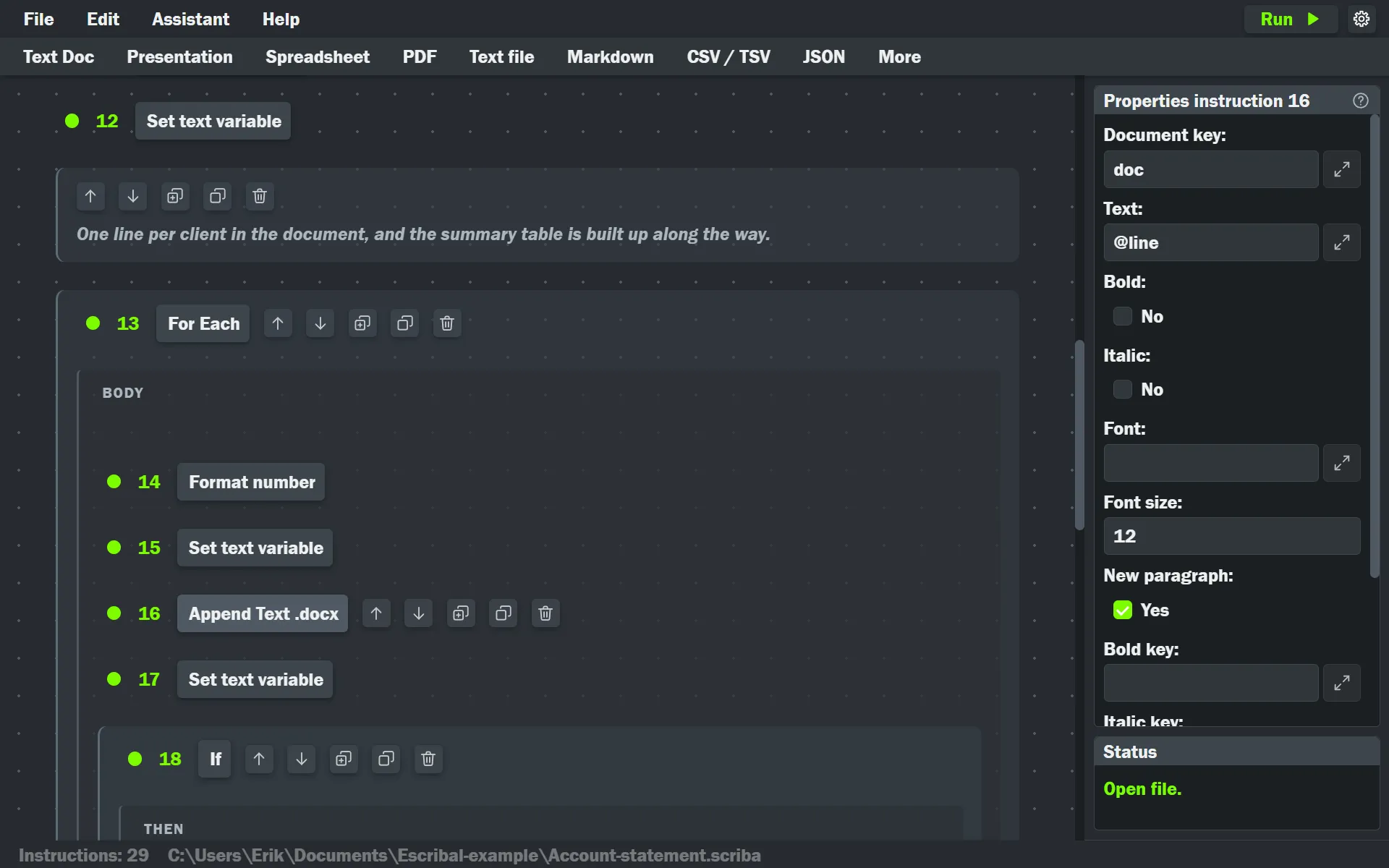
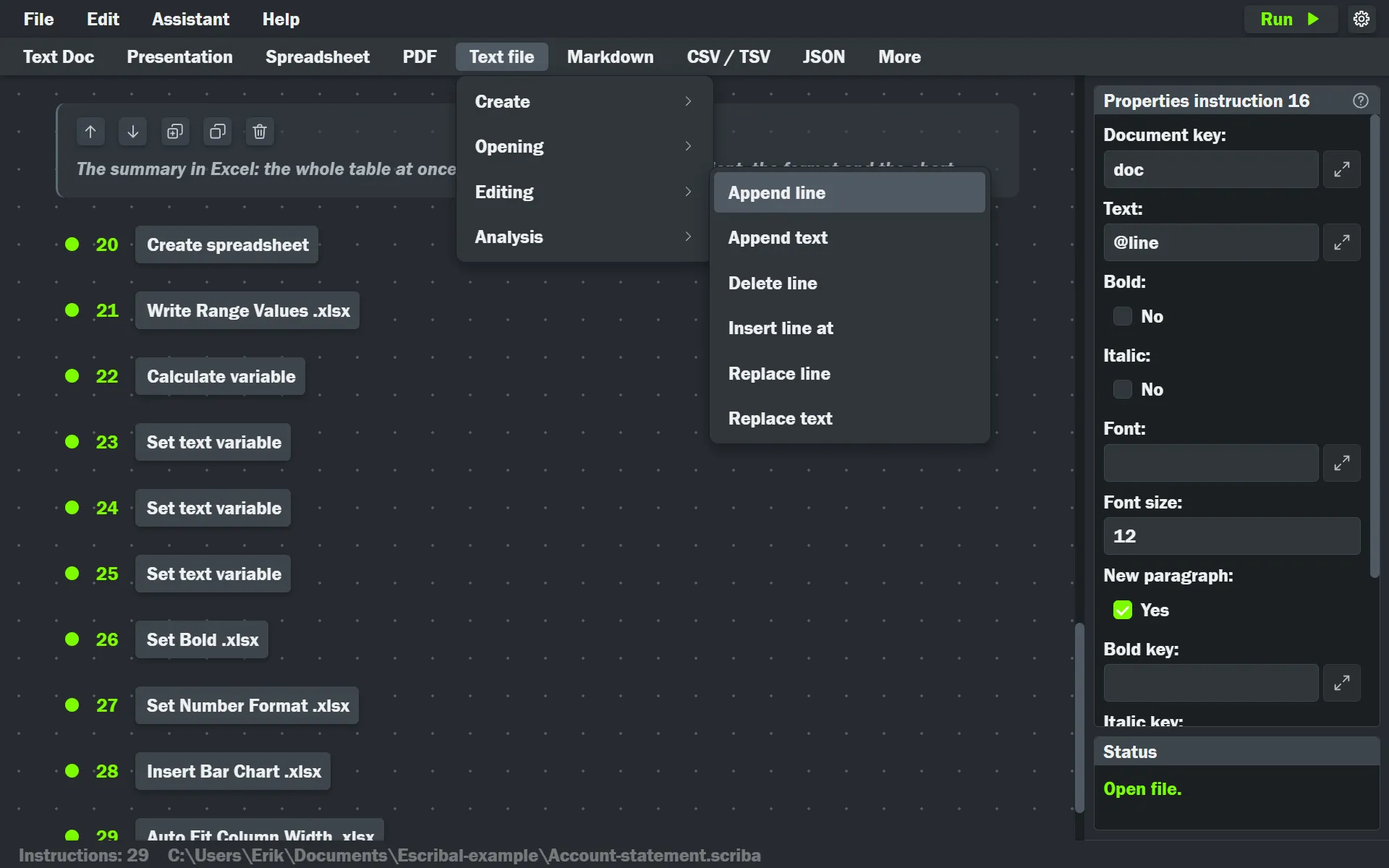
Write cells and formulas, build tables and charts, add slides, set styles, filter and join data. Every instruction is picked from a menu, organized by format and by task, and configured in a panel.
- Spreadsheets: cells, formulas, formatting, sheets, tables, charts, named ranges, protection.
- Documents: paragraphs, styles, tables, images, headers and footers, comments and tracked changes.
- Presentations: slides, text boxes, shapes, tables, charts, notes and animations.
- CSV, JSON, Markdown and TXT: read, filter, sort, join, group and export.
How it helps you
Or your AI agent builds it for you
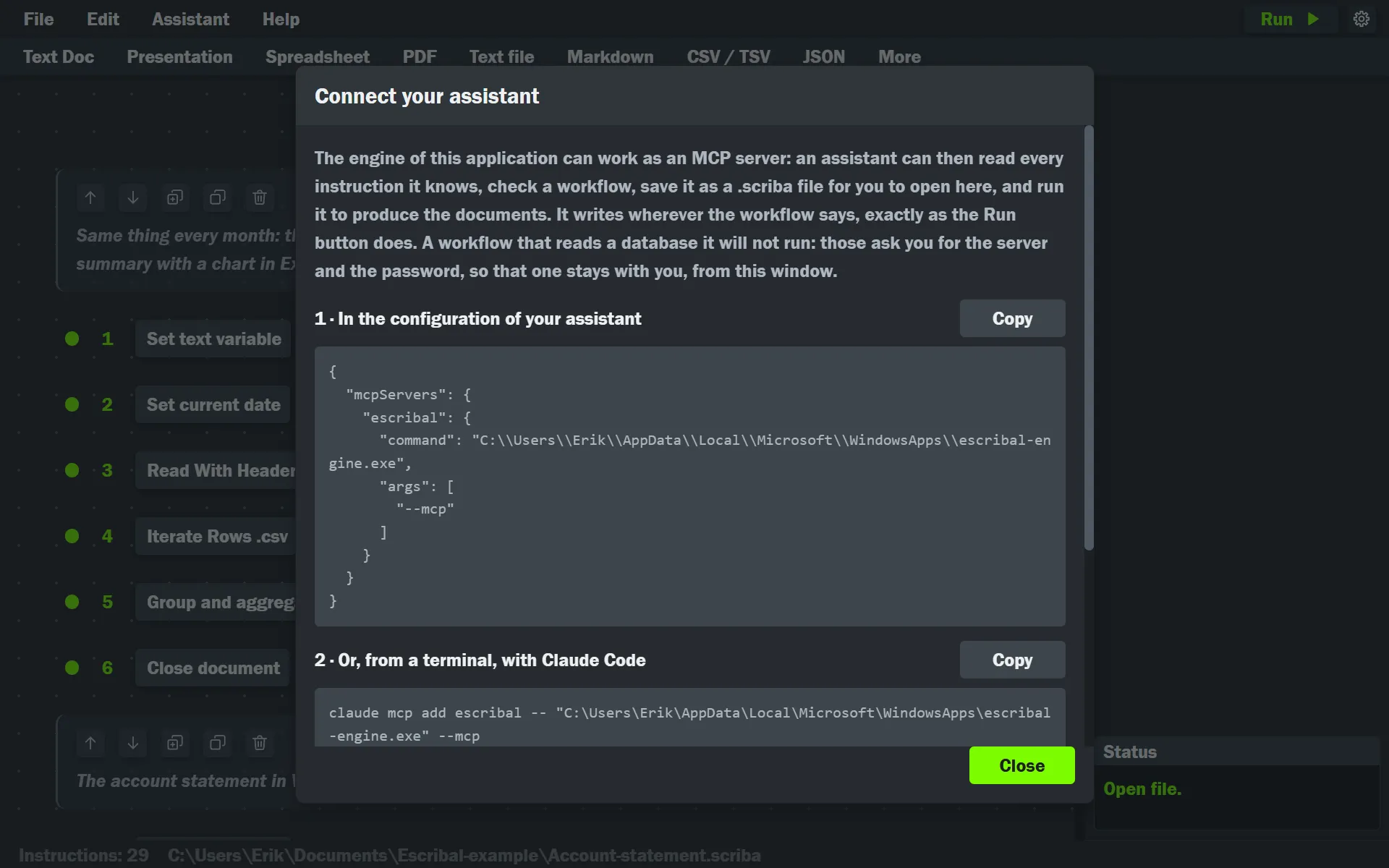
Describe what you need in your own words (“a document for each customer with their figures”) and your AI agent looks up the instructions, writes the workflow, validates it, runs it and fixes it until the documents come out right. Connecting it takes a minute: the program gives you the configuration already filled in.
- Not a black box: a workflow you open, read instruction by instruction, and run again without the AI.
- Reproducible: the same instructions produce the same document every time.
- Your database passwords never pass through the AI.
What it guarantees
All or nothing, and the failure has a name
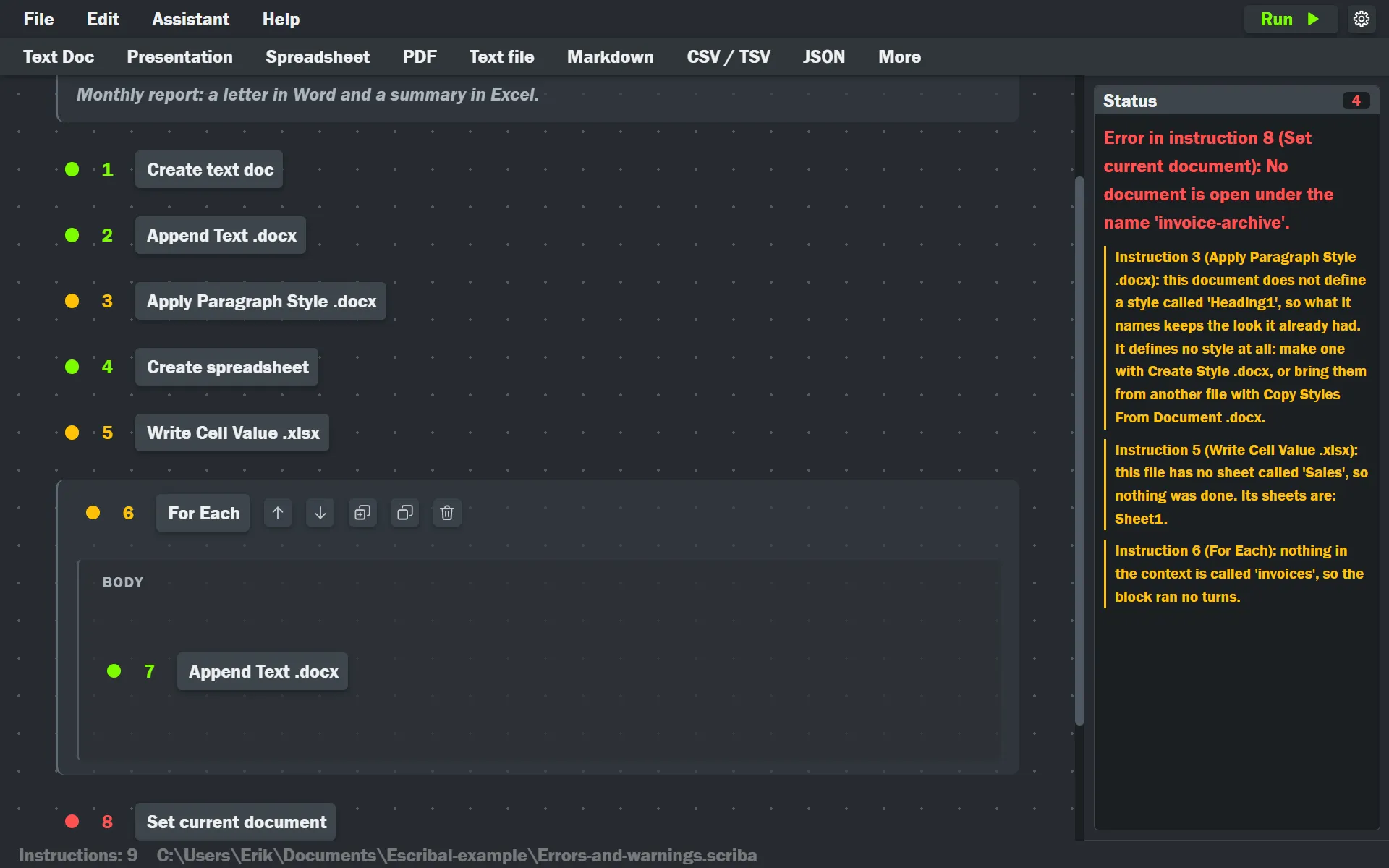
If an instruction fails halfway through, no file is saved: there are no half-written documents to go through. The instruction that warned is left in amber and the one that stopped the run in red, each with its explanation beside it.
- The original file is not touched when you open it, unless you choose to save over it.
- Escribal opens your document, spreadsheet or presentation templates and works on a copy.
Help
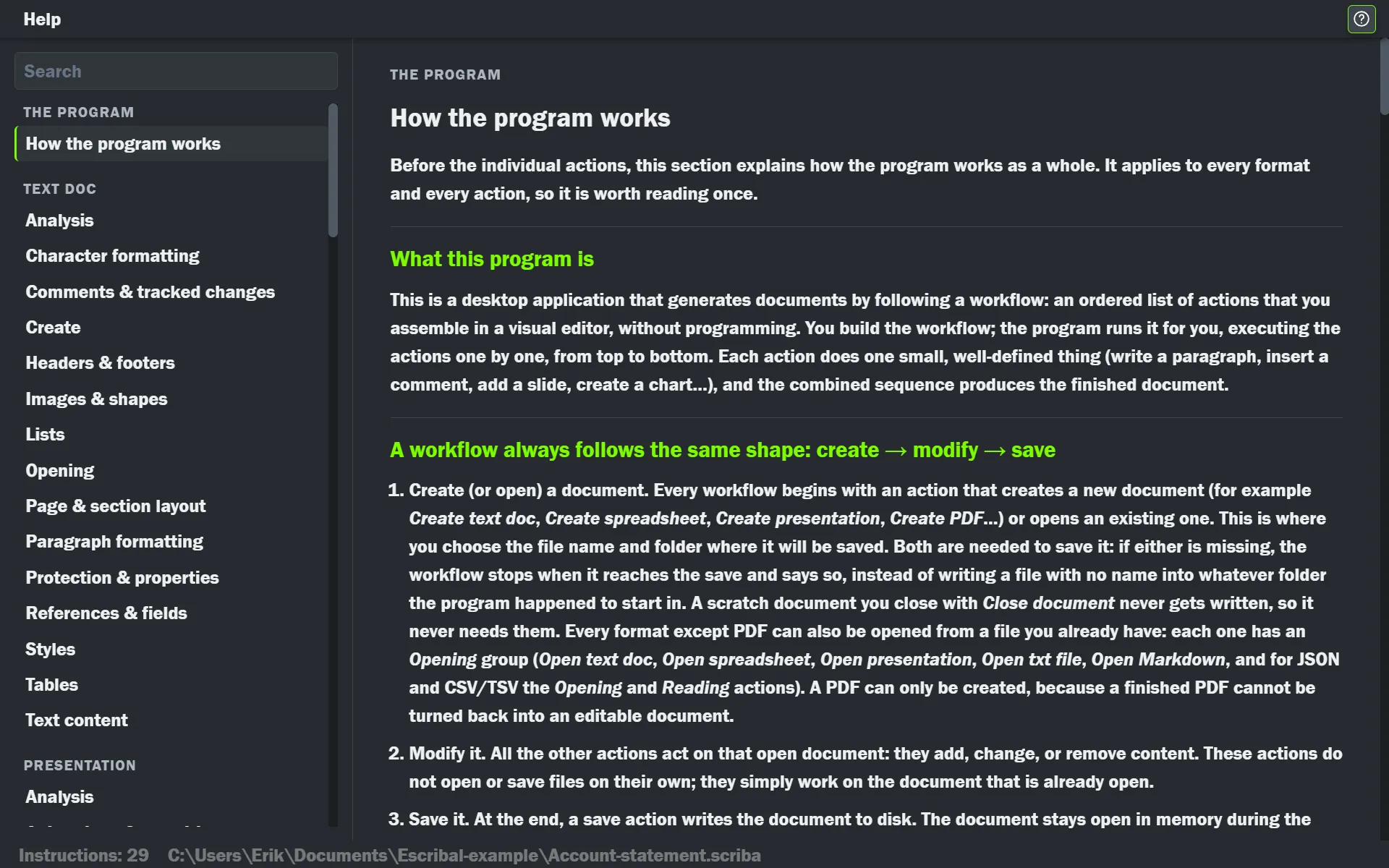
The full help, inside the program
How the program works, and one page for every instruction with its fields explained. You open it from the instruction you are looking at, and it takes you to its card.
The canvas
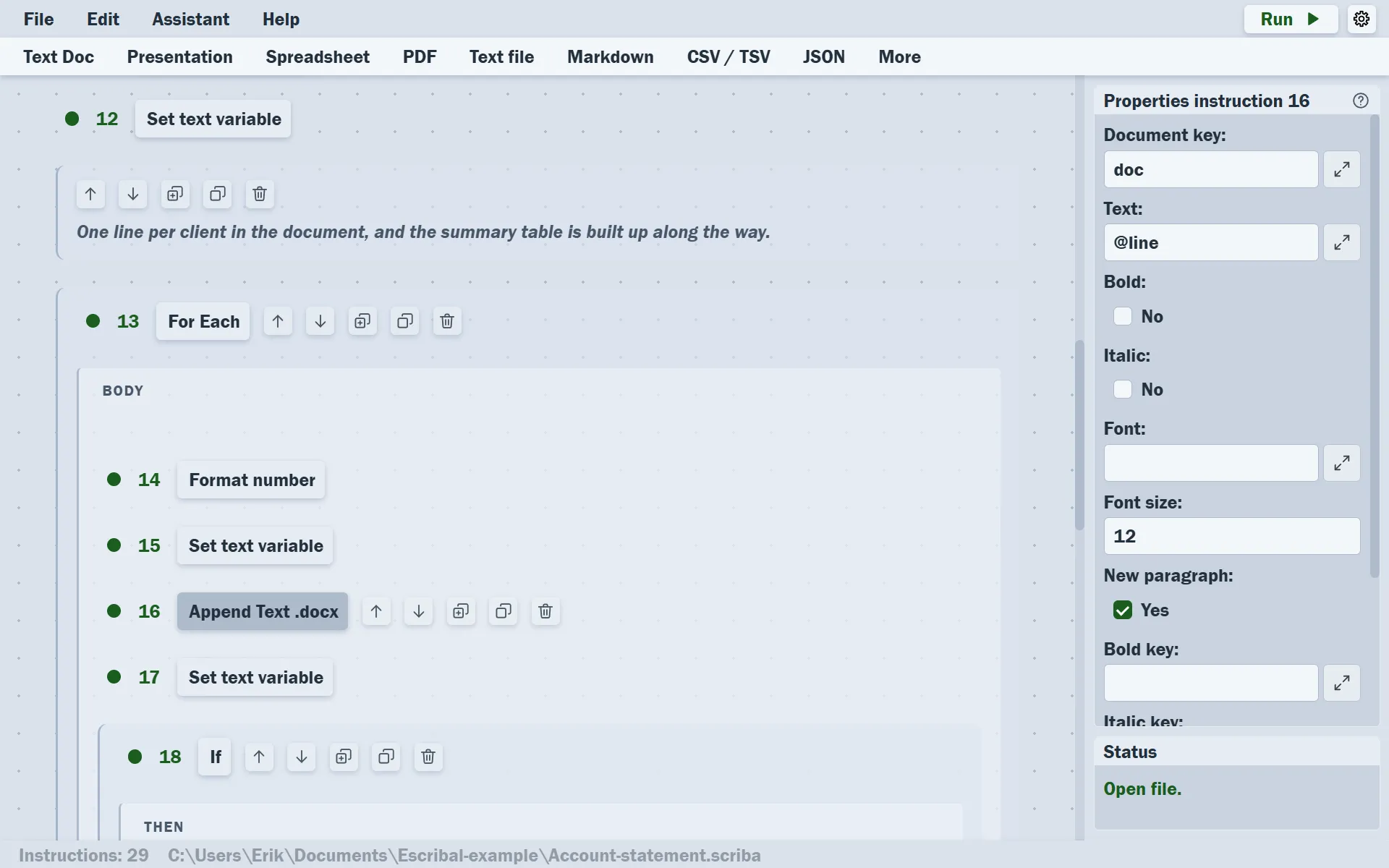
No programming: a list you can read
The instructions sit in order on a visual canvas, so anyone on the team can read the process and maintain it. Loops and conditions are blocks with a beginning and an end. In the dark theme or in the light one.
And also
Everything a document that repeats needs
Loops and conditions
Repeat for each row, customer or region with For Each, and decide based on a value with If.
Exact arithmetic
Calculations in base ten: 0.1 + 0.2 gives 0.3. Round, aggregate, group and format numbers.
PostgreSQL, read-only
Query a database and use the result like any other list. The password is never saved in the workflow.
Variables
What one instruction reads, the next one uses, by writing @name.
Several documents at once
One workflow can read a CSV, calculate, and produce a spreadsheet and a PDF at the same time.
On your computer
No cloud account, no uploading of files and no telemetry. Your clients’ data stays where it is.
What about AI?
Why not just ask an AI for the document?
It is a fair question. A workflow still has real advantages, and your AI agent can build one for you.
Built once, run forever
You or your AI agent build it, and after that it runs without AI: the same figures every time, and no cost per run.
Reviewed instruction by instruction
If something fails, nothing is left half-written, and the instruction at fault is marked.
On your computer
No account, no uploads and no telemetry. Your database passwords never pass through the AI.
Several documents, the same figures
One single workflow writes a spreadsheet, a presentation, a PDF and a report with the same figures and the same look.
Who it is for
For anyone who makes the same document again and again
You do not need to program, or to work in any particular field. What matters is that the document repeats, with different data each time.
One for each
The same document for every customer, student or participant (letters, statements, certificates) from a single list.
The same every time
The report of every week or every month, where the figures change and the shape does not.
From one format to another
A messy export that has to come out clean in another format, in another file or for another system.
Two examples by trade: accountants and analysts. Or see what comes out of a workflow.
What it is not
Escribal is for the document you are going to make again next month
Not a word processor
A letter you write only once is faster to type yourself.
Not a design tool
Its strength is data and repetition, not free-form layout.
Not a cloud service
Nor an electronic signature platform. It runs on your computer.
How to try it
Start with the example
The first week is free. Download the example (the monthly close of a made-up company: one workflow, four documents), run it, and then connect your AI agent to see everything Escribal can do.
- 1
Run the example
Unzip it, open the workflow and press Run. Four documents come out with the same figures.
- 2
Ask your agent for a change
A brand color, another threshold, one more slide. What it leaves is still a workflow you can read.
- 3
Break something on purpose
And see how it tells you: nothing is saved, and the instruction at fault is marked in red.
Everything included, monthly or yearly
USD 7.99 per month
or USD 63.99 per year
Get it from the Microsoft StoreHow the subscription works
For Windows 10 and 11